
If you post on Facebook to grow your business, you’ll know the feeling. You share something, people start commenting, a few DMs come in, and suddenly you’re spending your evening typing the same answer for the fifth time.
And the messages don’t wait for a good moment. They land while you’re cooking tea, doing the school run or finally sitting down. Leave them too long and the person has moved on. Rush them and your reply comes out short and nothing like you.
That’s the exact problem Mega Messenger AI is built for. In this post I’ll walk you through what it is, how it works, what it costs, and who I think it’s right for (and who might want to skip it). No hype, just the facts so you can decide for yourself.
What is Mega Messenger AI?
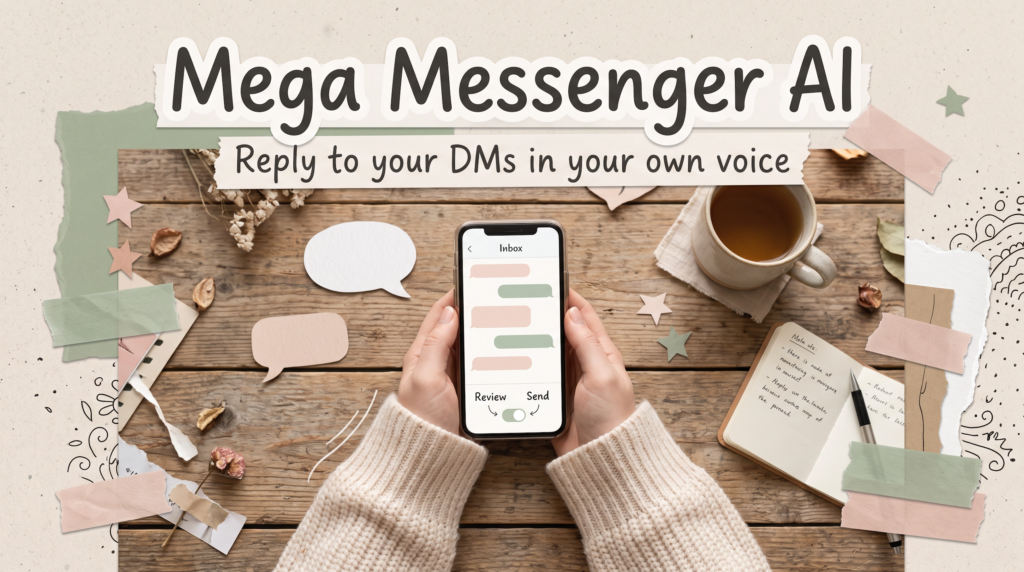
Mega Messenger AI is a tool that helps you manage your Facebook direct messages and comments in one place. The clever bit is that it writes replies in your own voice, because you train it on how you actually write.
You then choose how much control you want. You can review every reply before it goes out, or, once you’re comfortable, switch on automatic sending.
It works whatever your niche or business, and you don’t need to be an OLSP member to use it. It’s open to everyone.
The problem it’s trying to fix
Most people who use Facebook for their business run into the same four headaches:
- DMs arrive all day long, and you can’t be glued to your phone.
- Comment threads pile up, and every unanswered comment is a missed conversation.
- The same questions come in again and again (“How does it work?”, “How much is it?”, “Where’s the link?”).
- Replies stop sounding like you. When you’re tired or rushing, or when you hand replies to someone else, they lose the personal touch that made people message you in the first place.
If any of that sounds familiar, keep reading.
How Mega Messenger AI works, step by step
Here’s what’s inside, in plain English.
1. Train it on your voice
You start by training the tool on your own writing. That way the replies it writes are meant to sound like you, not like a robot or a generic customer service bot.
2. Choose your level of control
There’s a simple control panel where you set what happens for people who comment and for people who DM you, separately. For each one you pick:
- Off — the tool leaves them alone.
- Write it — it writes a reply and waits for you to approve it.
- Send it — it writes the reply and sends it for you.
There’s also a pause-all button if you want to stop everything at once, which is reassuring if you’re going on holiday or just want a break.
3. Set your writing rules
This is where you make the replies feel more personal. You can choose whether to:
- Use the person’s name
- End replies with a question (great for keeping a conversation going)
- Use emojis or not
- Ban certain words you’d never use
- Set a maximum message length
- Only send a link when someone actually asks for it
That last one matters. Nobody likes being hit with a link they didn’t ask for, and it helps you come across as helpful rather than pushy.
4. Add your offer details
If you’re promoting something, you fill in a short form: the offer name, the price, where people buy it, a one-line description, who it’s for, the common objections people have, and so on.
A nice safety touch: keyword sequences won’t send until you’ve filled in at least the offer name and the buy link. So you can’t accidentally send people a reply with a missing link.
5. Check your Today tab
The Today tab shows how many engagements and DMs you’ve sent against your daily targets, plus a “Needs you” list of anything that wants your attention. It’s a quick way to see where you’re at without scrolling through Messenger.
It also supports two-step comment replies, so you can reply to a comment and follow up from there.
Review before send vs automatic sending: which should you choose?
This is the most important decision you’ll make with Mega Messenger AI, so here’s my honest take.
Review before send means every reply is written for you, then waits for your thumbs up. You still save the time of thinking and typing, but nothing goes out under your name without you seeing it first. The sales page itself recommends this for getting started, and I agree.
Automatic sending means replies go out on their own once you switch it on. It’s the most hands-off option, but the page is upfront that AI-written replies can still miss the mark, and those replies go out under your name.
My advice if you’re a beginner: start with review before send. Watch what it writes for a week or two. Tweak your writing rules. Only switch on automatic sending (maybe just for comments first) once you trust what it’s producing.
How much does Mega Messenger AI cost?
There’s one plan, and it’s $27 a month. That includes:
- Facebook DM and comment help
- Replies in your trained voice
- Two-step comment replies
- Review before send
- Optional automatic sending
- Setup and training in a Skool group
There’s a 30-day refund period from the date you buy, and you can cancel in the normal way. Billing is handled through OLSP’s checkout.
Who is Mega Messenger AI good for?
I think it suits you if:
- You get a steady stream of Facebook comments and DMs and struggle to keep up.
- You answer the same questions over and over.
- You work in short pockets of time around family, a job or a busy week.
- You care about replies sounding like you, not like a template.
- You’re promoting an offer and want people who ask to get the right link, at the right time.
Who might want to skip it (for now)
- If you’re brand new and getting very few messages, you probably don’t need a tool for this yet. Focus on posting and building conversations first.
- If you’re not comfortable with any AI writing on your behalf, even with review, it might not be for you.
- If you don’t use Facebook much — it’s built for Facebook DMs and comments specifically.
The honest bits to know before you buy
I like that the sales page doesn’t oversell this. A few things worth knowing:
- It won’t sound exactly like you every time. The page itself says AI output isn’t perfect and recommends reviewing replies.
- You’re still responsible for what goes out under your name. Keep an eye on it, especially if you switch on automatic sending, and stick to Facebook’s own rules on messaging.
- It’s a monthly subscription, so factor that in.
- There are no income promises on the page, and there shouldn’t be. It’s a time-saving tool, not a magic money button.
How to get started with Mega Messenger AI
Getting set up is simple:
- Join through the OLSP checkout ($27/month).
- Look out for your licence key in your email.
- Join the Skool group for setup and training.
- Train your voice, then choose review before send or automatic sending.
Click here to take a look at Mega Messenger AI
If you want my added bonuses then see the link at the end of this post!
Mega Messenger AI FAQs
What is Mega Messenger AI? It’s a tool for managing Facebook DMs and comments, with replies written in a voice trained on your own writing.
Do I need to be an OLSP member to use it? No. It’s a public product, open to everyone.
Will it send messages without me checking them? Only if you choose automatic sending. Otherwise every reply waits for your approval.
Will the replies sound exactly like me? They’re designed to, but AI isn’t perfect, so reviewing replies is recommended, especially at the start.
How much does it cost? $27 per month.
Can I get a refund? Yes, there’s a 30-day refund period from purchase, and you can cancel in the normal way.
How do I access it after buying? You subscribe through OLSP checkout, your licence key arrives by email, and setup and training happen in the Skool group.
Final thoughts
Mega Messenger AI isn’t trying to replace you. It’s trying to stop your inbox running your day. If you’re getting more Facebook messages and comments than you can comfortably answer, and you want replies that still sound like you, it’s worth a look, especially with review before send keeping you in control and a 30-day refund period behind it.
My favourite this about Mega Messenger AI is that it doesn’t matter what your business or niche, it can still help you.
If it sounds like a fit, you can see everything it does here:
Take a look at Mega Messenger AI here & Grab My FREE Bonuses