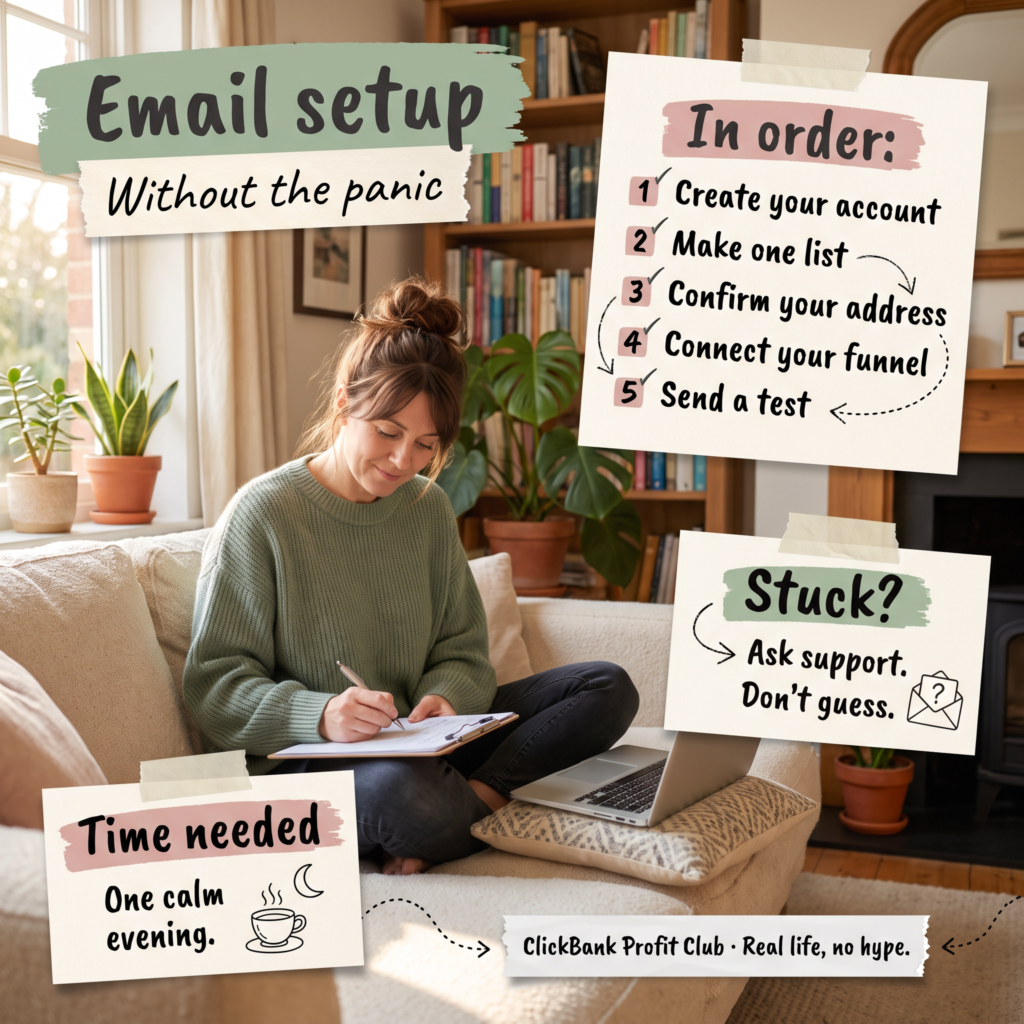

Connect Your Email to the ClickBank Profit Club: A No-Panic Walk-through
This is the stage where new members go quiet. Everything was fine, then the word “autoresponder” appeared and the laptop got shut.
Don’t let one fiddly evening stop you. Follow the order below. I’ll tell you what each step is for, so you’re not clicking blind.
I’m describing the general process. Screens and button names change, so follow the Club’s own instructions for the exact clicks (within the training videos)
Understand what you’re connecting
Your funnel has a form. When a visitor fills it in, their email address needs somewhere to go. That somewhere is your autoresponder, which stores the address and sends your emails. Connecting the two just tells the form where to deliver.
Gather these before you start
- The email address you want people to see your messages come from
- A postal address for the footer (email rules require one, and many people use a business or PO box address)
- Your CBPC login
- A second email address of your own, for testing
Work through it in this order
1. Open your autoresponder account
CBPC’s funnel is built to work with AWeber. Sign up, confirm your account by email, and log in.
2. Create one list
Name it something you’ll recognise in six months, such as CBPC subscribers. Resist making five lists. One is enough. Otherwise it gets very confusing.
3. Confirm your sending address
The tool will ask you to verify the address your emails come from. Click the link it sends you. Skip this and nothing goes out.
4. Connect the list to your funnel
Inside the Club, find the email integration section and follow the instructions to link your list. This is usually a case of logging in to authorise the connection, or copying a short code across.
5. Load the pre-written sequence
CBPC supplies its emails ready to use. Within Aweber you just import a code and it bring across all the workflow emails for you, Follow the steps to bring them into your list so they send automatically, in order.
6. Test it as a stranger
Open your funnel in a private browser window. Sign up with your second email address. Then check: did the first email arrive? Did it land in the inbox? Do the links work? This is an important step, you need to test it to make sure its working correctly.
Fix the three most common snags
| What you see | What to check |
|---|---|
| No email arrives | Is your sending address verified? Is the sequence switched on? |
| Email lands in spam | Are you using a free webmail address as the sender? Ask about domain authentication. |
| Sign-up doesn’t appear in your list | Is the form connected to the right list? Reconnect and test again. |
Know when to stop and ask
Give any single step fifteen minutes. If you’re still stuck, stop. Take a screenshot, write down what you clicked and what happened, and send it to the Club’s support team. A clear question gets a fast answer.
If you get stuck at any point support are there to help you, Simply submit your support ticket and Kev will get back to you, usually within couple of minutes however it can take a little longer if he gets busy! He will always get back to you and help you resolve your issue.
Tick these off
- Account opened and confirmed
- One list created
- Sending address verified
- List connected to funnel
- Sequence loaded and switched on
- Test email received in the inbox
Email setup questions
Which email tool does the ClickBank Profit Club use?
The Club’s funnel is designed to work with AWeber. Check inside your members area for the current list of supported tools and the exact connection steps.
Do I have to pay for an autoresponder?
An autoresponder is a separate service with its own pricing. Many offer a free starter plan with a subscriber limit. Check the provider’s site for current details.
What is a from address and why does it matter?
It’s the email address your messages are sent from. Using an address on your own domain, rather than a free webmail address, generally helps your emails reach the inbox.
My test email went to spam. What now?
Mark it as not spam, add your from address to your contacts, and ask your email provider or the CBPC’s support about authenticating your domain.
Send that test tonight
Block out one calm evening, work down the list, and finish with a test email in your own inbox. Not a member yet? Join, and you’ll have the funnel ready to connect.