
How to Repurpose Blog Content Into a Week of Posts
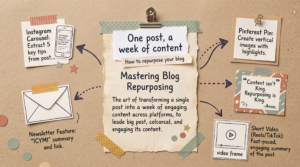
For a long time I treated every platform like it needed brand-new content every day. New blog post. New email. New post for Facebook, Instagram, TikTok, LinkedIn. All different. All from scratch.
It wore me out. And when you’re building in short pockets of time around family life, that just isn’t sustainable.
Trying to come up with new ways of promoting everything I do was making me crazy, trying to do faceless reels for titktok, a social media post for Facebook, a different post for LinkedIn, and yet another for instagram… it was draining me and I was beginning to question myself, so realising that you do not have to do that, and learning how to repurpose made it so much easier.
What repurposing actually means
It’s like cooking a big pot of something on Sunday and turning it into different meals through the week. Same base, different dishes. Nobody’s eating the exact same plate every night.
With content, your blog post is the big pot. Everything else gets made from it.
One blog post, a week of content
| Day | Format | Taken from the post |
|---|---|---|
| Monday | Blog post goes live | The whole thing |
| Tuesday | The story section, with a link to the post | |
| Wednesday | Social text post | The quick answer at the top |
| Thursday | Carousel or list post | The steps or tips |
| Friday | Pin | The headline and header image |
| Saturday | Quote card | One strong line |
| Sunday | Short text-on-screen video | One tip, one call to action |
How to do it, step by step
- Write the blog post first. It’s the longest, most complete version.
- Highlight five bits. The main answer, a story, a list, one quotable line and one common mistake.
- Rewrite each bit for its platform. Shorter for social, more personal for email.
- Batch it. Do all the pieces in one sitting while the post is fresh.
- Schedule it. Then you’re done for the week.
Repurposing tips that save the most time
- Keep a simple template for each format so you’re filling in gaps, not starting from blank.
- Reuse images. Your header image can be cropped for pins and stories.
- Every piece points somewhere. Back to the blog post, or to your free gift.
- Go back to old posts. A post from months ago is brand new to most of your followers.
Where it all leads
Repurposing is great for getting seen, but social posts disappear fast. The aim is to move people from scrolling to signing up, so you can keep in touch properly. I point most of my repurposed posts towards a free gift, and the ClickBank Profit Club’s ready-made sign-up page and emails take it from there.
Repurposing questions
What does repurposing content mean?
Taking something you’ve already made, like a blog post, and reshaping it into other formats, such as emails, social posts, pins or short videos, instead of starting from scratch each time.
Isn’t repurposing just repeating yourself?
Not if you change the format and angle. Most of your audience won’t have seen the original, and people on different platforms prefer different formats.
Which content is best to repurpose?
Posts that answer a real question, share a story or include a list or steps. They break down naturally into smaller pieces.
Can I repurpose content without showing my face?
Yes. Quote cards, text posts, carousels, pins and voiceover or text-on-screen videos all work without being on camera.
Make once, share all week
You don’t need more ideas or more hours. You need to get more from what you’ve already made. Start with your next blog post and see how far it stretches.
