
Affiliate Marketing From Your Phone: What Really Works
Waiting until you’re sat at a desk is how days disappear. The queue at the chemist, the car park before pick-up, the ten minutes the dinner’s in the oven: that’s all usable time if your phone is set up for it.
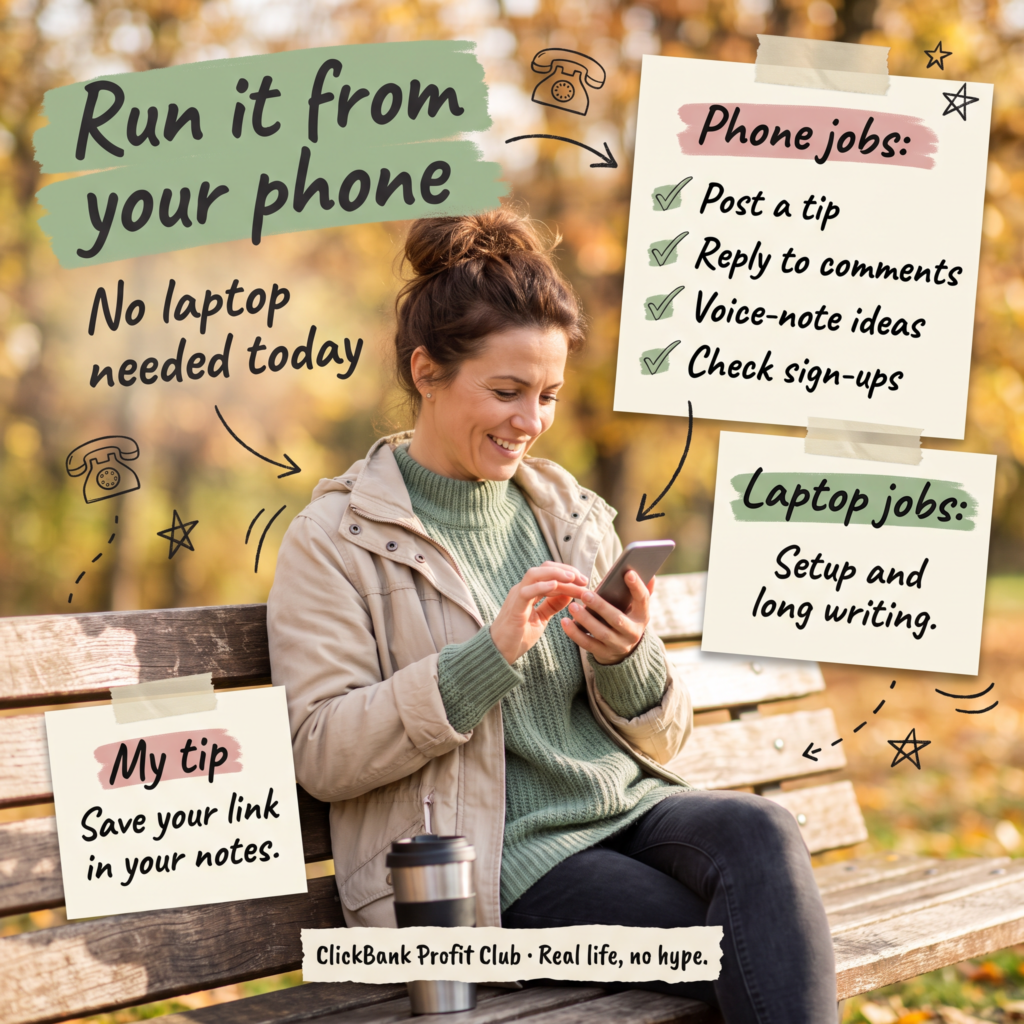
Sort your jobs into two piles, it really does help.
Do these on your phone
- Post a tip. Type it or use text on a short video.
- Reply to comments and messages. Fast replies build trust.
- Film faceless clips. Your hands, your notebook, your view.
- Dictate ideas. Talk into your notes app while you walk.
- Check sign-ups. A glance once a week in your email app.
- Watch training. Headphones in, notes afterwards.
- Send a short email to your list. Most email tools have an app.
Save these for a computer
- The first-time setup. Connecting accounts needs several windows open.
- Testing your funnel in a private window.
- Long blog posts. Draft on the phone, format on a laptop.
- Anything with a spreadsheet.
No computer at home? Borrow one for an hour, or use the library. You only need it for the setup.
Set your phone up properly
Save your link where you can grab it
Put your link in a pinned note. Add it as a text shortcut, so typing two letters pastes the whole thing.
Make a home-screen folder
Email tool, your main social app, notes, camera, video editor. Five apps, one folder, first screen.
Keep a running ideas note
One note called “Post ideas”. Add to it every time something occurs to you. Never start from blank again.
Save your stock replies
Write good answers to the five questions you get most. Save them as text shortcuts. Personalise the first line each time.
Turn off the noise
Switch off every notification except direct messages. Check stats on purpose, not by buzz.
Use the gaps in your day
| Gap | Phone job |
|---|---|
| 3 minutes | Reply to two comments |
| 5 minutes | Dictate tomorrow’s post |
| 10 minutes | Film and caption a short clip |
| 15 minutes | Watch a training video |
Avoid the phone traps
- Scrolling instead of posting. Open the app, post, close the app.
- Typos in your link. Paste it. Never type it.
- Refreshing stats. Pick one day a week.
- Working in bed. Give yourself a cut-off time.
Phone questions
Can I do affiliate marketing with just a phone?
You can do most of the day-to-day work on a phone: posting, replying, filming and checking sign-ups. Borrow or use a computer for the initial setup, which is easier on a bigger screen.
Can I set up my ClickBank Profit Club funnel on a phone?
It’s possible, but connecting your email and testing the funnel is much easier on a laptop or desktop. Do it once on a computer, then run things from your phone.
What apps do I need?
Your email tool’s app, the social platform you post on, a notes app, a simple video editor and your phone’s voice recorder cover almost everything.
How do I write long posts on a phone?
Dictate them. Use voice typing to talk your draft into a notes app, then tidy it up later.
Set it up in the next ten minutes
Pin your link. Make the folder. Start the ideas note. That’s it. Your phone is now a workstation. Need a funnel link to pin?